+
.hk
USD
  • Account
  • Sign Up
  • Sign In
You have no items in your shopping cart.
ABOUT 1OUTLETS
Home Shopping Other AutoCAD 2026 For Beginners (For Mac Users): A Step-by-Step Guide to Learning the Fundamentals
By CADfolks (Author) AutoCAD 2026 For Beginners (For Mac Users): A Step-by-Step Guide to Learning the Fundamentals

By CADfolks (Author) AutoCAD 2026 For Beginners (For Mac Users): A Step-by-Step Guide to Learning the Fundamentals

( 346 reviews ) See Reviews (1Outlets)

In stock *In Stock - Subject to stock availability at point of fulfilment. In the event whereby the item is out of stock or unable to provide the service, 1Outlets will cancel the order and issue a Full refund in-store credit to you. SKU : 8d73b576357677b3624fef77928e3d5b

USD19.75
  • Buy 2 for USD19.45 each and save 2%
  • Buy 10 for USD18.91 each and save 4%
Qty:

**Free Shipping Worldwide available - Shipping time may vary depending on the address.

**Circumstances Reroute - This is a time of great stress and uncertainty. We are actively validating, routing and re-routing orders with our overseas merchants, logistic partners and airlines. Deliveries and supply may expect delays.

**In Stock (Low Inventory Warning) - Subject to stock availability at point of fulfilment. In the event whereby the item is out of stock or unable to provide the service, 1Outlets will cancel the order and issue a Full refund in-store credit to you (See Refunds).

**Report or Request Removal  - Any copyrighted, DMCA, inappropriate, offensive, prohibited, potentially Illegal Listings (Submit doc here).

Details

CADfolks: Design Your Dreams!

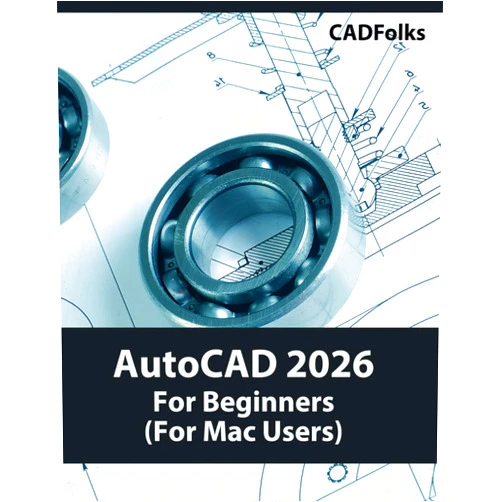
The AutoCAD 2026 For Beginners (For Mac Users): A Step-by-Step Guide to Learning the Fundamentals empowers young minds to transform simple ideas into amazing digital realities! This captivating guide makes learning AutoCAD a fun and engaging adventure, perfect for aspiring designers, budding engineers, and future architects. Explore the world of CAD with confidence, and discover the joy of building virtual worlds, crafting incredible structures, and bringing your imagination to life. Dive into a world where your creativity knows no bounds!

Main Features

  • Step-by-Step Instructions: Follow easy-to-understand tutorials that guide you through every essential AutoCAD command and function. Every step is clearly explained so everyone can understand and build confidence.
  • Visual Learning: Embrace a colorful and interactive learning experience with plentiful illustrations, diagrams, and examples that make CAD concepts crystal clear.
  • Practical Exercises: Apply your new skills with engaging projects and challenges that encourage creativity and practical application. Practice makes perfect in this digital design world.
  • Mac-Specific Guidance: Tailored specifically for Mac users, ensuring a smooth and user-friendly experience on your favorite device. The Mac environment is celebrated with a customized learning path.
  • Beginner-Friendly Language: Designed with the absolute beginner in mind, simplifying complex terminology and making AutoCAD accessible to everyone, no matter their previous experience.

Benefits

  • Boost Creativity: Spark your imagination and develop problem-solving skills as you design and build your own virtual creations. Every design is a new world, a new opportunity!
  • Develop Technical Skills: Learn the fundamentals of AutoCAD, a valuable skill that can open doors to exciting career paths in design, architecture, and engineering.
  • Gain Confidence: Build your confidence with each completed project, experiencing the satisfaction of turning ideas into tangible digital models. Success is a rewarding experience.
  • Enhance Problem-Solving: Develop critical thinking skills by tackling design challenges and finding creative solutions within the CAD environment.
  • Fun and Engaging Learning: Turn learning into an exciting experience, making AutoCAD enjoyable and captivating for young learners. Make learning fun!

Unique Selling Points / Competitive Advantages

  • Tailored for Mac: A dedicated learning path catering specifically to Mac users, ensuring a user-friendly and seamless experience.
  • Focus on Fundamentals: Provides a solid foundation in AutoCAD basics, preparing learners for more advanced topics and real-world applications.
  • Child-Friendly Approach: Uses simplified language and engaging visuals to make CAD concepts understandable and enjoyable for young learners.
  • Practical Application: Emphasizes hands-on projects and exercises that encourage creativity and practical skills development. Learn by doing, creating, and experimenting!
  • Author Expertise: Crafted by a CADfolks expert committed to making CAD accessible to all, with a focus on ease of learning and user satisfaction.

Usage Scenarios

  • Classroom Projects: Use it as a supplemental resource for introductory CAD courses in schools and educational programs. Build classroom projects with confidence.
  • Home Learning: Explore the exciting world of CAD from the comfort of your home, at your own pace. Learn in an environment of comfort and growth.
  • Creative Exploration: Allow kids to design their dream houses, create imaginative structures, or craft personalized 3D models of favorite toys.
  • Skill Development: Prepare for a future in design, architecture, or engineering, building a solid foundation in essential CAD skills.
  • Hobbyist Design: Use it as a tool to pursue personal creative projects, such as designing furniture, gadgets, or artistic creations.

Customer Reviews / Testimonials

  • Ava, USA, 2023: "My daughter absolutely loves this book! She was able to create her first house in AutoCAD after a few lessons. The instructions are so simple to follow."
  • Liam, United Kingdom, 2023: "This guide helped me understand the basics of AutoCAD very quickly. I'm now confidently working on my own design projects!"
  • Sofia, Australia, 2024: "A fantastic resource! The Mac-specific instructions were extremely helpful, and I am loving building my designs. I was able to begin designing quickly and with ease."
  • Ethan, Canada, 2024: "I was intimidated by AutoCAD, but this book broke everything down so simply. I feel like I can design anything now! Every lesson is a new adventure in design."
  • Mia, Germany, 2024: "My son finds learning AutoCAD fascinating now. It's a wonderful way to foster creativity and problem-solving skills."

Frequently Asked Questions (with answers)

  • Is this book suitable for complete beginners? Yes, this book is specifically designed for beginners with no prior CAD experience.
  • Do I need any other software besides AutoCAD? No, the guide focuses on using AutoCAD itself, along with the Mac tools to build a beautiful world.
  • How long will it take to complete the book? The pace is self-directed. The time it takes will depend on your pace and the amount of practice you devote.
  • Can I use this book on older versions of AutoCAD? While designed for AutoCAD 2026, the core principles can be applied to other versions.
  • What if I get stuck on a step? The book uses step-by-step instructions. Revisit the instructions, review the visuals, and remember, practice makes perfect.

BUY NOW

Harness the power of design with CADfolks! Get your copy of AutoCAD 2026 For Beginners today and begin your journey to a world of creativity and limitless potential.

(Beta: User Generated 2024.0007)
Specification
Category: Other
Weight: 1.1974838568000001kgs
Language: English
ISBN-13: 979-8290782386
Terms & Warning