+

In stock *In Stock - Subject to stock availability at point of fulfilment. In the event whereby the item is out of stock or unable to provide the service, 1Outlets will cancel the order and issue a Full refund in-store credit to you. SKU : b301481fc808207d38adfb24e28f417c
**Free Shipping Worldwide available - Shipping time may vary depending on the address.
**Circumstances Reroute - This is a time of great stress and uncertainty. We are actively validating, routing and re-routing orders with our overseas merchants, logistic partners and airlines. Deliveries and supply may expect delays.
**In Stock (Low Inventory Warning) - Subject to stock availability at point of fulfilment. In the event whereby the item is out of stock or unable to provide the service, 1Outlets will cancel the order and issue a Full refund in-store credit to you (See Refunds).
**Report or Request Removal - Any copyrighted, DMCA, inappropriate, offensive, prohibited, potentially Illegal Listings (Submit doc here).
Benjamin Bytes: Bridging the Gap, SAS to Excel!
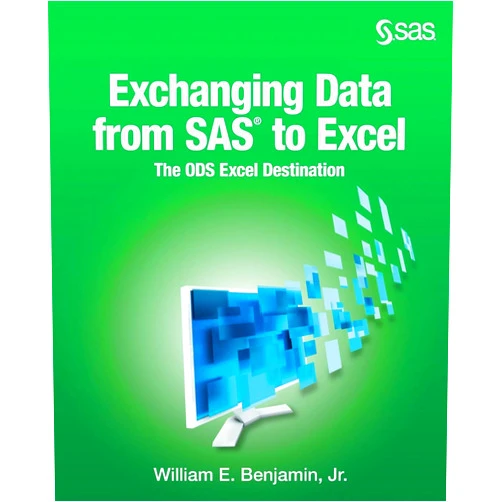
William E. Benjamin Jr.’s Exchanging Data From SAS® to Excel: The ODS Excel Destination is your key to unlocking seamless data transfer between the powerful world of SAS® and the user-friendly interface of Microsoft Excel. This guide will empower you to effortlessly export data, crafting dynamic reports and analyze data with confidence. Say goodbye to data-transfer headaches and hello to streamlined workflows! Dive into a world where your SAS® data becomes readily accessible, transforming the way you share data and visualize your insights.
Main Features
Effortless Data Extraction: The book provides step-by-step guidance on how to quickly and easily extract data from SAS®, transforming it into a format usable in Excel. This simplifies the initial hurdle of getting your information out.
Comprehensive Code Examples: Loaded with real-world code snippets, the book equips you with practical examples to learn and adapt for your own projects. Follow along and build your skills!
Detailed ODS Excel Destination Coverage: This book dives deep into the ODS Excel destination, the backbone of SAS® to Excel transfer, explaining its functions, options, and capabilities. This understanding grants you the power to manipulate the data transfer.
Customization Options: Discover how to tailor your exports, controlling formatting, sheet creation, and output appearance for perfect presentation in Excel. Have complete control over the final product.
Troubleshooting Tips and Tricks: Learn how to overcome common obstacles and errors, ensuring a smooth data migration process every time, and gaining confidence with every step.
Benefits
Improved Efficiency: Dramatically reduce the time spent on data transfer, freeing up your valuable time for data analysis and interpretation. Get more done in less time!
Enhanced Collaboration: Make sharing information with colleagues easier and more effective, ensuring everyone has access to the same information in a familiar format. Work better as a team.
Boosted Productivity: Streamline your workflow, allowing you to create reports and presentations faster, leading to improved decision-making and increased productivity. Get more work done, and make better choices.
Simplified Reporting: Quickly generate visually appealing and informative reports by leveraging Excel's extensive charting and formatting capabilities. Turn data into visual stories.
Increased Data Accessibility: Break down the barriers between SAS® and Excel, ensuring your data is accessible to anyone who needs it, regardless of their SAS® expertise. Make data available to everyone.
Unique Selling Points / Competitive Advantages
Focus on Practical Application: Unlike abstract guides, this book emphasizes hands-on techniques with clear, concise, and easy to understand explanations, making data conversion easy.
Expert Author: Benefit from the author’s extensive experience, offering a proven and reliable approach to SAS® to Excel data transfer. Learn from the best.
Targeted Content: The book focuses solely on the ODS Excel destination, providing focused, in-depth coverage that allows for advanced data handling capabilities. It simplifies the process.
Clear and Concise Language: Written in a language that's easy to follow, allowing users of all experience levels to understand the concepts and apply them immediately. Simple language, easy to read.
Actionable Steps: Every chapter offers actionable steps and examples, guiding you through the process, empowering you to perform the data exporting.
Usage Scenarios
Creating Executive Summaries: Transfer key findings from SAS® to Excel for presentation to upper management, creating easy to understand reports. Showcase important details.
Sharing Data with Non-SAS® Users: Export data to Excel for colleagues who are unfamiliar with SAS®, enabling seamless collaboration and analysis. Collaborate easily with everyone.
Generating Customized Reports: Use the book’s techniques to create tailored reports that incorporate Excel's formatting and visualization features. Craft reports that fit your needs.
Automating Data Exports: Learn how to automate your data exports, saving time and ensuring consistency in your reporting. Make your work easier.
Analyzing Data in Excel: Transfer data to Excel for advanced analysis, utilizing its formulas, charts, and pivot tables. Analyze data to find the solutions.
Customer Reviews / Testimonials
"This book saved me so much time! I could finally transfer data from SAS® to Excel without getting a headache. Highly recommended!" - Emily Chen, Singapore, 2022
"The code examples were extremely helpful. I learned how to automate my reports, thanks to this book." - David Miller, United Kingdom, 2023
"A great resource for anyone working with SAS® and Excel. Very well written!" - Maria Rodriguez, Spain, 2021
"I appreciate how easy this book is to understand. It took me from zero to hero in data migration!" - Kenji Tanaka, Japan, 2024
"This book is my go-to guide whenever I need to export data to Excel from SAS®. Simple, clear, and effective." - Sarah Dubois, France, 2020
Frequently Asked Questions
Q: What is the ODS Excel destination?
Q: Can I customize the formatting of my Excel output?
Q: Do I need to be an expert in SAS® to use this book?
Q: Can I export multiple datasets to the same Excel file?
Q: What are the advantages of using ODS Excel destination over other methods?
BUY NOW
Transform your data dreams into reality! Become the SAS® to Excel data champion with Benjamin Bytes, a great guide. Get your copy today, and start unlocking the power of seamless data exchange for a future where data knows no limits!
(Beta: User Generated 2024.0007)